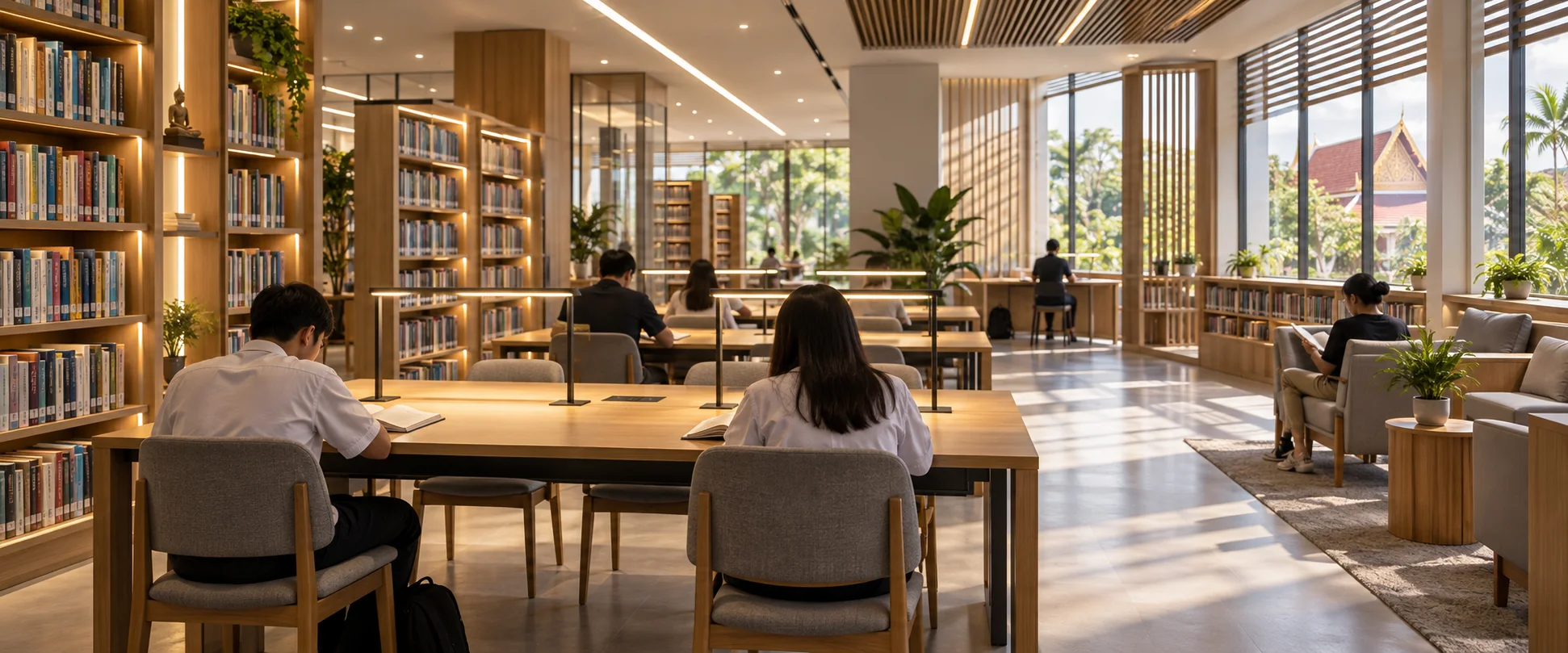
Good school library lighting helps children read text, find books on shelves, and use screens comfortably. A practical starting point is around 500 lx on reading desks and 200 lx vertically on bookshelves. Assess these levels together with uniformity, glare, reflections, and measurements taken after installation.
Quick answer: how bright should a school library be?
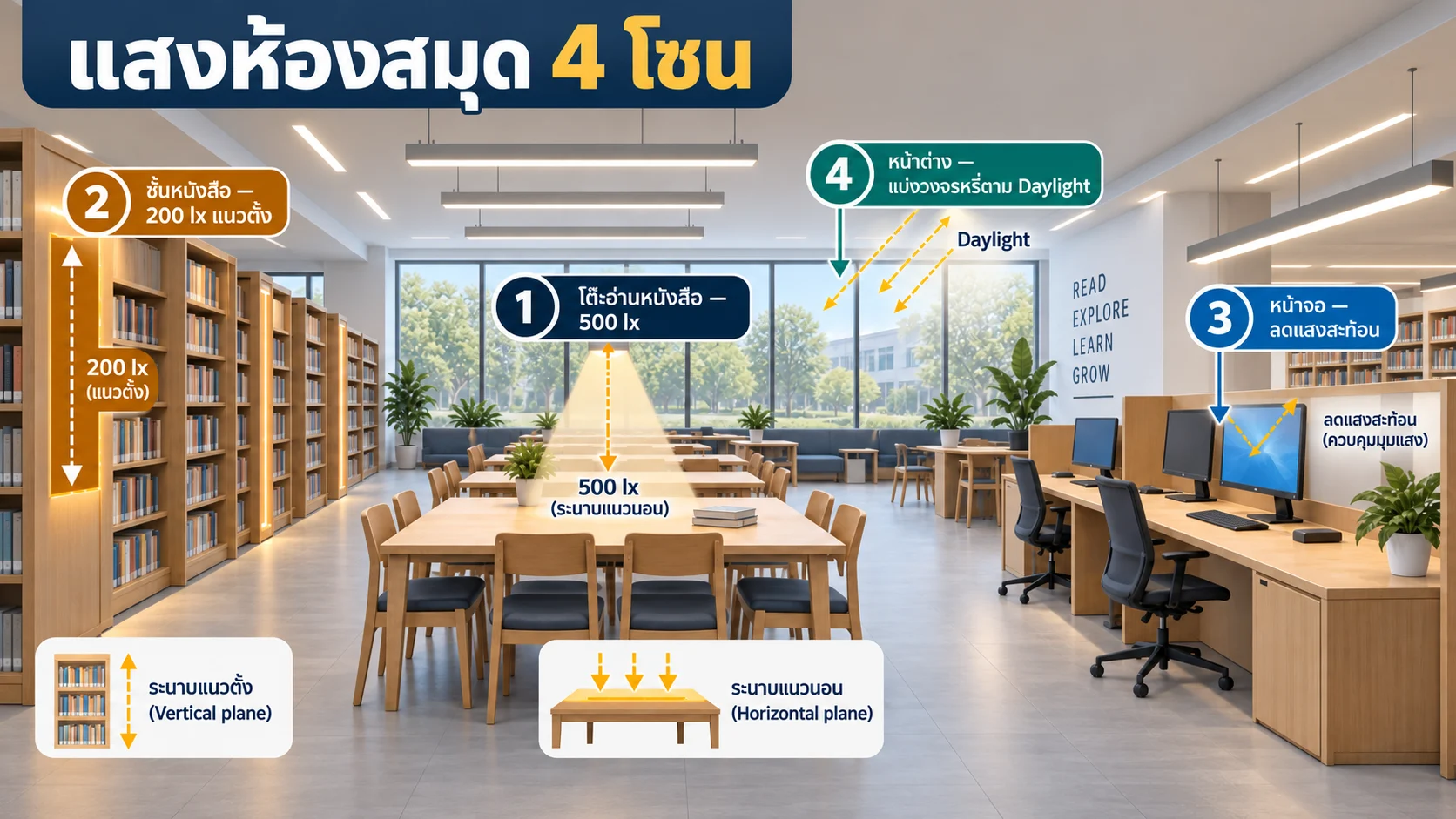
| Zone | Design starting point | Where to measure | Additional checks |
|---|---|---|---|
| Reading and homework desks | 500 lx | Horizontal working plane on the desk | Uniformity, shadows from hands, and glare |
| Bookshelves | 200 lx vertically | Book spines, from the bottom to the top shelf | Dark bands and shadows cast by users |
| Computers and digital media | Around 300–500 lx, depending on the task | Desktop, with reflections assessed from the user’s viewing position | Screen reflections and brightness contrasts |
| Storytelling and relaxed reading areas | Around 300 lx | At the actual activity level | Clearly visible faces, dimming, and comfortable brightness |
These figures are starting points drawn from educational lighting and screen ergonomics guidance. They are not universal requirements for every project. Always check the standards, contracts, and legislation that apply to the actual location.
Why average lux alone is not enough
A library contains both horizontal and vertical visual tasks. An average reading on the floor or a desk may look acceptable while lower book spines remain dark or luminaires reflect in computer screens. Assess at least five factors together:
- Illuminance: Does enough light reach the actual task plane?
- Uniformity: Is the difference between darker and brighter areas too large?
- Glare: Are bright light sources visible, or are there disturbing reflections on screens and desks?
- Color quality: Do book covers, maps, artwork, and skin tones look natural?
- Controls: Can electric lighting dim in response to daylight and switch off when the space is unoccupied?
For more on glare assessment, see what UGR means and when to use it (Thai).
1) Reading desks: 500 lx with good uniformity
West Sussex County Council’s library guidance, which refers to CIBSE LG05, specifies 500 lx for reading areas. This is a useful starting point for general reading, writing, and homework, but a number alone does not ensure good lighting quality.
- Arrange luminaires so that light reaches desks from several directions, reducing sharp shadows from heads and hands.
- Use appropriately shielded luminaires and check the view from a seated child’s position. Children’s eye levels are lower than those of adults.
- Avoid glossy desktops, which increase reflections and glare.
- For individual reading spaces, provide adjustable task lighting rather than increasing the brightness of the whole room.
2) Bookshelves: measure vertical illuminance
The key task is reading titles on book spines, so measurements need to assess the vertical shelf face rather than the floor. The same guidance recommends 200 lx in the vertical plane. Include the top, middle, and bottom shelves, not just eye level.
- Run luminaires parallel to shelving aisles, with enough offset from the shelf face for light to reach the lower shelves.
- Check both sides of each aisle. A luminaire down the center may light the floor well while leaving shelf faces dark.
- Avoid relying on a single downlight directly above the user, which can cast a shadow over the books being searched.
3) Computer screens: reduce reflections before adding lux
OSHA recommends positioning screens at right angles to windows, using diffuse lighting, and controlling overhead light to reduce reflections. Where users read paper documents alongside a screen, add task lighting for the documents instead of increasing general lighting until screens appear washed out and viewing becomes tiring.
- Position luminaire rows in relation to viewing directions so that they do not reflect in the center of the screen.
- Fit blinds or shading that can be adjusted throughout the day.
- Use matte finishes on walls, desks, and ceilings, with softly distributed light around screens.
- Test from actual seated positions during daylight hours and after sunset.
4) Daylight: save energy while controlling glare
The U.S. Department of Energy notes that daylighting can reduce energy use in schools, but poorly designed windows or skylights can also cause discomfort glare. Divide library lighting circuits according to their distance from windows and use sensors to dim individual zones, rather than switching the entire room on or off together.
- Provide at least a window-side zone and an interior zone.
- Use curtains, blinds, or exterior shading to block direct sunlight.
- Commission sensors with furniture and bookshelves in their final positions.
- Test at different times and under different sky conditions instead of relying on readings from a single day.
For a detailed workflow, see the daylight harvesting and commissioning guide (Thai).
Choosing CCT, CRI, and flicker performance
| Factor | Practical approach | Reason |
|---|---|---|
| CCT | Around 3500–4000 K for general reading areas, kept consistent throughout the room | A neutral atmosphere that avoids an excessively cool or yellow appearance |
| CRI | Start with Ra ≥80; consider ≥90 for art corners, picture books, or areas where color accuracy matters | More natural-looking book covers, learning materials, and skin tones |
| Flicker / TLM | Request PstLM and SVM data from the manufacturer and test at the dimming levels that will actually be used | Slow-motion video can help screen for obvious issues, but does not replace suitable instruments and standardized test methods |
The Illuminating Engineering Association of Thailand provides training on temporal light modulation and assessment using international standards. This highlights the need to assess flicker with appropriate metrics rather than judging it by eye alone.
Measurement and commissioning after installation
- Define the test conditions: Allow the lighting to stabilize. Record whether blinds are open or closed, which circuits are on, and how much daylight is present.
- Create a desk measurement grid: Place the lux meter on the working plane, avoid shading it with your body, and record the average and minimum readings.
- Measure shelves vertically: Assess the book-spine plane at upper, middle, and lower shelf levels and at several positions along each aisle.
- Check glare visually: Sit at children’s eye level and look toward screens, windows, and aisle ends to identify distracting luminaires or bright spots.
- Test the controls: Check occupancy sensors, daylight sensors, dimming, and override switches in every zone.
- Document the handover: Keep the measurement layout, lux readings, control settings, luminaire and driver models, and inspection date as a maintenance baseline.
For more on measurement grids and interpreting results, read how to measure illuminance correctly with a lux meter (Thai).
Common mistakes
- Measuring only the floor: This does not represent reading at desks or finding books on shelves.
- Adding luminaires to solve every problem: Energy use may increase while glare becomes worse.
- Using a higher CCT as a substitute for illuminance: Whiter-looking light does not necessarily meet illuminance or visual-quality criteria.
- Leaving bookshelves out of the lighting model: Tall shelving blocks light, so the installed result can differ from an empty-room calculation.
- Skipping dimming tests: Some drivers may flicker or dim unevenly within the range used in practice.
Checklist for designers and schools
- □ Zone reading desks, bookshelves, computers, activity areas, and window-side spaces.
- □ Specify both horizontal and vertical illuminance in the drawings or project specification.
- □ Obtain photometric files and model the actual shelving and furniture.
- □ Assess UGR or glare risks from users’ viewing positions.
- □ Specify CCT, CRI, flicker/TLM data, and the dimming range.
- □ Separate circuits according to daylight availability and patterns of use.
- □ Plan measurements and commissioning after installation.
Frequently asked questions
Is 300 lx enough for a school library?
It may be sufficient for some relaxed reading or short-term activities. For reading and homework desks, consider 500 lx as a starting point. If general lighting is reduced in screen areas, use task lighting to supplement illumination on paper documents.
Should the 200 lx on bookshelves be measured horizontally or vertically?
Measure in the vertical plane at the book spines and check several heights. Weak spots are often on lower shelves or where users cast shadows.
Should every luminaire be rated UGR<19?
UGR assesses glare under specified room and viewing conditions. It is not a label that guarantees the same result in every space. Use photometric data to calculate performance for the actual layout, then check users’ views after installation.
Can a phone camera replace a flicker meter?
It can help identify obvious issues during an initial check, but it cannot verify PstLM or SVM values. It should not replace appropriate test reports and measurement instruments.
References
- West Sussex County Council — The Grey Guide, Library Lighting: guidance on 500 lx in reading areas and 200 lx vertically on bookshelves, referring to CIBSE LG05.
- U.S. OSHA — Computer Workstations: Workstation Environment: screen positioning, diffuse lighting, task lighting, and glare reduction.
- U.S. Department of Energy — Lighting for Schools: daylighting, glare, and school lighting controls.
- CIE — Discomfort Caused by Glare from Luminaires with a Non-Uniform Source Luminance: context and limitations of UGR assessment.
- Illuminating Engineering Association of Thailand — Temporal Light Modulation and assessment standards (Thai).
อ่านต่อเรื่องมาตรฐานและการทดสอบ
ถ้าต้องใช้ค่าแสงเป็นเกณฑ์ออกแบบหรือยื่นตรวจสอบ ลองดูหน้าที่เกี่ยวข้องต่อจากนี้